B2B Sales
Checklist: Must-Have Real-Time Collaboration Features
Apr 11, 2026
Live coaching, shared notes, CRM integration, visibility, and analytics for faster, more aligned sales workflows.
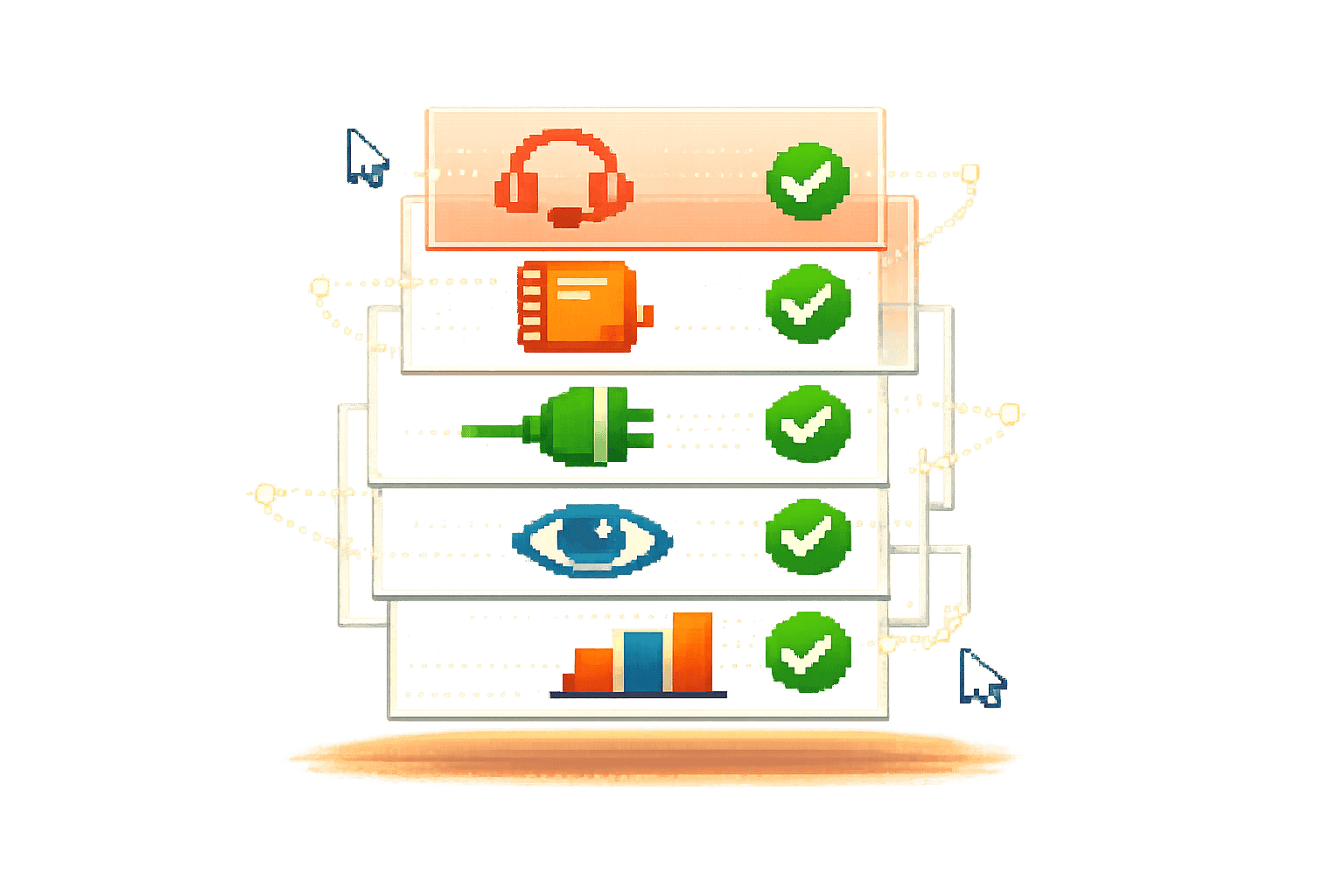
Real-time collaboration tools are transforming sales by providing instant guidance, reducing delays, and improving team alignment and the future of sales enablement. These tools ensure sales reps have the right information during conversations, enhancing productivity and shortening sales cycles. Key features include:
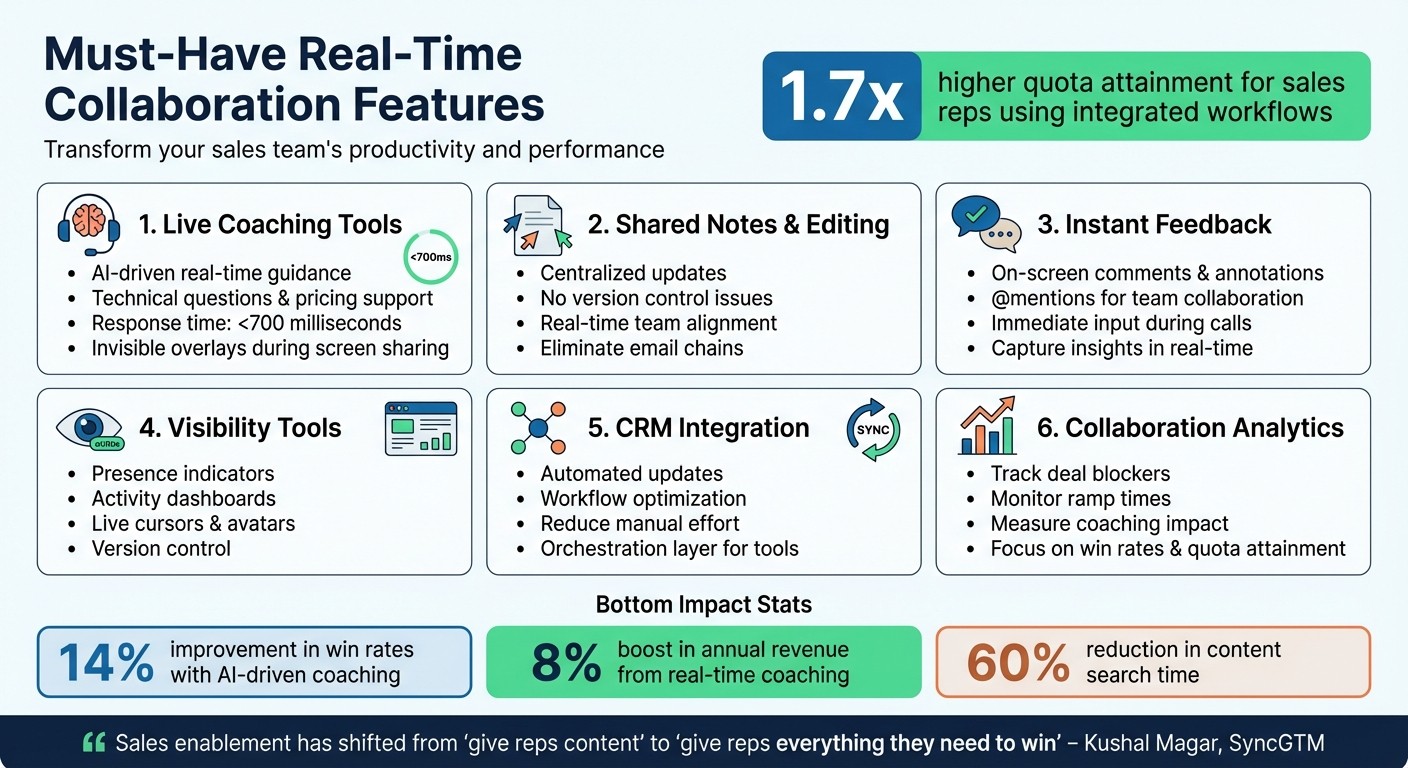
Live coaching tools: AI-driven, real-time guidance for technical questions, pricing, and next steps.
Shared notes and editing: Centralized updates to keep teams aligned without version control issues.
Instant feedback: On-screen comments and annotations for immediate input during calls.
Visibility tools: Presence indicators, activity dashboards, and version control for organized teamwork.
CRM integration: Automated updates and workflow optimization to reduce manual effort.
Collaboration analytics: Metrics to track deal blockers, ramp times, and coaching impact.
Why it matters: Sales reps using integrated workflows achieve up to 1.7x higher quota attainment and faster sales cycles. With AI-powered tools like Coach Pilot, teams can deliver consistent messaging, improve win rates, and focus on selling without distractions.
Essential Real-Time Collaboration Features for Sales Teams
Why Every Sales Team Needs a Digital Sales Room
Core Real-Time Collaboration Features
Real-time collaboration takes sales support to the next level by offering proactive assistance, ensuring sales reps get the insights they need exactly when they need them. Coach Pilot leverages AI-powered live coaching to help reps navigate every customer interaction with confidence. Here's a closer look at the essential features that make real-time collaboration effective.
Live coaching tools use AI to provide instant, in-the-moment guidance during customer conversations. These tools pull from your knowledge base - like product documents, pricing info, and battlecards - to deliver relevant details on the fly. Advanced systems even use dual-stream transcription to distinguish between rep and prospect audio, ensuring accurate speaker identification and better context. With AI processing suggestions in under 700 milliseconds, reps receive seamless guidance without disrupting the flow of conversation. Plus, modern overlays stay invisible during screen sharing, acting as a discreet safety net. For best results, focus on uploading precise FAQs, product details, and battlecards rather than flooding the system with excess documents[1].
Shared notes and simultaneous editing streamline collaboration by eliminating version control headaches. When team members can update call summaries, refine deal strategies, or tweak playbooks in real time, everyone stays on the same page - no lengthy email chains required. Centralized access to a shared knowledge base also ensures reps can answer prospect questions on the spot, reducing those awkward "I'll follow up later" moments that can stall deals[1].
Instant feedback and annotations keep the momentum going. Features like live comments, @mentions, and on-screen annotations allow managers or subject matter experts to provide immediate input on sales materials or call performance. This real-time feedback captures actionable insights right when they’re most relevant, helping to minimize delays and keep deals progressing smoothly[1].
Visibility and Control Features
When teams collaborate on sales materials, playbooks, or call strategies, staying organized is crucial. Without clear visibility, duplication of effort, conflicting changes, and uncertainty over the latest version can derail progress. Tools that offer visibility and track changes help teams work together efficiently and avoid these pitfalls.
Presence and Activity Indicators
Presence indicators make it easy to see who’s working on a document and where. Features like avatar stacks and live cursors give real-time updates, showing active users with color-coded profiles and movement markers. Presence flags highlight specific sections being edited, reducing the risk of conflicting changes.
For example, in 2026, Blooksy - a collaborative writing platform - introduced real-time presence features like live cursors, user avatars, and selection highlighting, developed by Flexum. These tools allowed authors to co-write books simultaneously, speeding up content creation and improving teamwork. This innovation helped Blooksy grow its client base to over 100 authors and secure $120,000 in funding[7]. Myron Mavko, Co-Founder & CEO of Flexum, explained:
"Collaborative presence features have become a necessity for modern teams. Not only do they improve editing, but they also improve collaboration and user engagement"[7].
Activity dashboards provide managers with a broader perspective, tracking user activity across daily, weekly, and monthly timeframes. These dashboards highlight which team members are engaging with resources and tools, helping leaders identify disengaged reps or stalled opportunities before they affect revenue[5].
These visibility features naturally complement robust version control systems that ensure documents stay accurate and up-to-date.
Version Control and Change Tracking
To maintain consistency in sales strategies, version control is indispensable. It ensures that every update to objection handlers, talk tracks, or key strategies is aligned with the team’s goals.
Centralized version control makes it easy to access the most current version of any sales material, so reps always have the right information at their fingertips[5]. Features like automatic versioning and change logs create a clear record of updates, showing what was changed, when, and by whom. This level of transparency reduces miscommunication and allows for quick rollbacks if necessary.
Additionally, conflict resolution tools use visual cues to prevent overlapping edits. Team members can see what others are working on in real time, avoiding the chaos of unintentional overwrites and ensuring a smoother collaborative process.
Embedding Collaboration into Sales Workflows
Integrating collaboration into everyday sales processes ensures that the tools and features deliver real value. Real-time collaboration tools are most effective when they seamlessly fit into the existing workflows of sales teams. The best platforms weave collaboration into every step - from capturing a lead in the CRM to closing the deal - without requiring sales reps to juggle multiple tools or disrupt their workflow.
Built-In Communication Features
When communication tools are embedded into sales workflows, they enhance efficiency and eliminate unnecessary distractions. Instead of switching between apps during critical sales moments, reps can rely on integrated tools that provide context-specific insights. Many modern platforms even include AI-powered guidance that activates during key moments, like when a prospect raises objections or shows buying intent.
This intelligent triggering ensures that reps get the right information exactly when they need it. By connecting to a centralized knowledge base, reps can respond to customer queries or objections without delays, staying focused on the conversation. Consider this: companies with robust sales enablement programs report 15% higher win rates, and top-performing teams use nearly three times more sales technology than lower-performing ones[10]. It's not just about having tools; it's about embedding them where they naturally fit into the workflow.
CRM and Workflow Integration
CRM integration is a game-changer for sales teams, especially when it reduces the manual effort required for data entry. Some platforms automatically update CRM records with notes, risks, and action items based on live conversations, removing much of the administrative burden[9]. Instead of replacing your existing tools, these systems act as an orchestration layer, connecting your CRM with other essential sales tools to streamline workflows.
For example, integrating with platforms like Slack can automate tasks like triggering approval requests, flagging churn risks, or initiating coaching sessions. Before rolling out such integrations, it’s crucial to map the entire sales process - from the creation of a lead to the closing of a deal - to identify where collaboration tends to break down[8]. In practice, this approach can lead to massive efficiency gains: one medical technology company reduced content search time by 60% by linking approved materials directly to CRM opportunities[2]. Similarly, financial services firms that aligned proposal generation with compliance reviews cut approval times from five days to under 24 hours[2]. Once workflows are optimized, the next step is tracking their impact.
Collaboration Analytics and Insights
Collaboration analytics turn teamwork into measurable results. Instead of focusing on surface-level metrics like content views, the emphasis is now on outcomes tied to revenue - such as win rates, deal velocity, and quota attainment[4]. Advanced platforms can identify deal blockers or highlight at-risk opportunities, giving managers the insights they need to address issues before they escalate[9]. For instance, tracking how often reps say "I'll get back to you" can uncover bottlenecks in the workflow[1].
Metrics around ramp time - the period it takes for new hires to close their first deal or reach full productivity - are also critical[6]. Optimizing onboarding workflows using these insights can significantly improve performance. AI-powered training tools, for example, have been shown to boost win rates by 15–25% and reduce ramp times by 55%[6]. Platforms like Coach Pilot go a step further by linking analytics to custom sales playbooks and AI-driven coaching, allowing managers to see how real-time guidance influences deal outcomes.
When analytics sync directly with your CRM, combining data like call transcripts, coaching scores, and deal risks, managers can intervene early and focus on developing specific skills within their teams[6].
Conclusion
Real-time collaboration tools are where strategy meets execution. When teams leverage live coaching, shared notes, instant feedback, and CRM integration, the outcomes are hard to ignore. For example, sales reps using integrated workflows achieve 1.7x higher quota attainment compared to those stuck with disconnected tools [1][3]. Adopting AI-driven coaching can lead to a 14% improvement in win rates, while real-time, deal-specific coaching has been shown to boost annual revenue by 8% [1][3].
These tools aren't just about features - they're about creating smoother processes that deliver real results. Ensuring these tools align with your current sales workflow is crucial. Eliminating delays during calls keeps deals moving, while cutting prep time from 15 minutes to just 2 minutes per prospect allows reps to focus on what matters most: selling [4]. Plus, managers can scale their coaching impact across teams without the need to manually review every call, saving time and effort [4][6].
Kushal Magar from SyncGTM puts it perfectly:
"Sales enablement has shifted from 'give reps content' to 'give reps everything they need to win'" [4].
This evolution demands tools that integrate guidance directly into workflows, not ones that sit on the sidelines.
Platforms like Coach Pilot close this gap by combining custom sales playbooks, immersive training, and AI-driven coaching that activates at critical moments in the sales process. This ensures strategies aren't just theoretical - they're there when reps need them most. By improving win rates, shortening sales cycles, and boosting forecast accuracy, these tools make a tangible difference. When evaluating collaboration tools, focus on metrics like win rates, deal velocity, and quota attainment - not vanity stats like content views [4]. Start small by piloting with 3–5 reps to refine your approach before scaling up [1].
FAQs
What should I upload to the knowledge base for live coaching to work well?
To make live coaching work seamlessly, it's crucial to upload all relevant materials to the knowledge base. This should include company documents, product information, sales scripts, objection-handling techniques, and technical FAQs. These resources empower the AI to offer precise, on-the-spot guidance during calls. Regularly updating and expanding the knowledge base ensures the AI can deliver context-driven suggestions that enhance sales conversations.
How do we measure whether real-time collaboration is improving revenue outcomes?
To determine whether real-time collaboration boosts revenue, focus on its influence on three key areas: deal progression, sales performance, and on-the-fly adjustments during calls. These elements are critical for spotting opportunities early, improving close rates, and achieving stronger overall results.
How can we roll this out without disrupting our current sales workflow?
To integrate real-time collaboration features effectively, start by embedding them into tools your team is already familiar with, such as CRM systems or communication platforms. Roll them out gradually, providing proper training and clear explanations to demonstrate how they improve workflows. Leveraging AI-powered assistance and smooth integrations can minimize the learning curve, helping your team adopt these tools without disrupting their daily routines.
Related Blog Posts

Remove the guesswork from winning more deals.